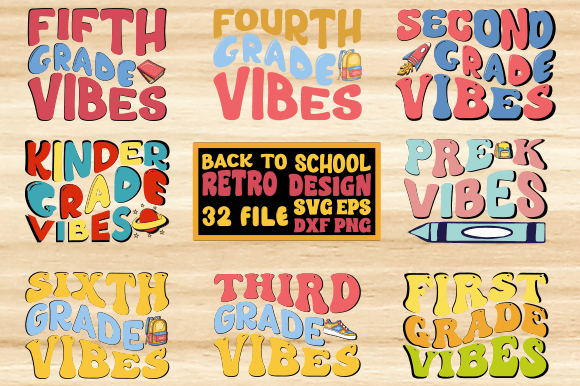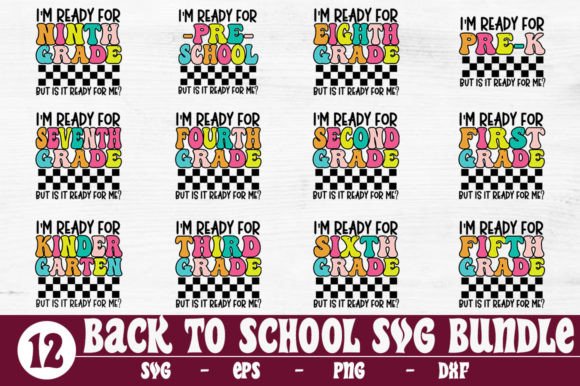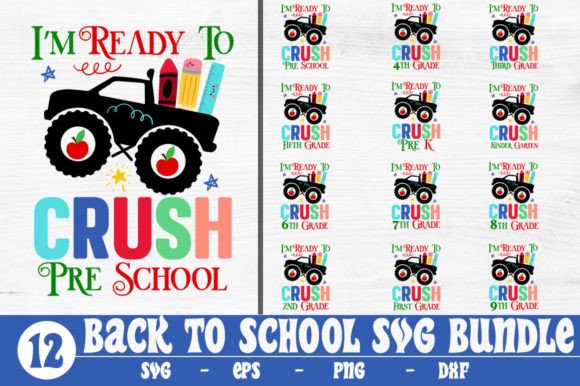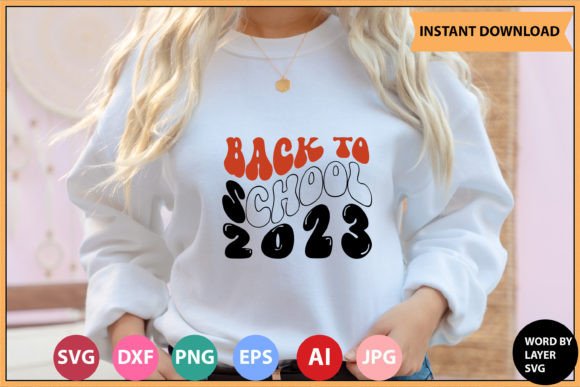
Back to School 2023 Retro Design
Retro design isn’t just nostalgia—it’s a strategic communication tool. The Back to School 2023 Retro Design taps into the visual language of the ’70s, ’80s, and early ’90s—bold typography, saturated color palettes, geometric patterns, and hand-drawn textures—to signal authenticity, approachability, and intentionality. For creators, educators, small business owners, and marketers, this isn’t about recreating the past; it’s about leveraging recognizable visual cues to build trust, differentiate messaging, and anchor seasonal campaigns in emotional resonance.
Why This Design Fits Real-World Goals—Not Just Aesthetic Trends
A well-executed retro aesthetic performs distinct functional roles: it reduces cognitive load (familiar visual grammar), increases memorability (distinctive color and type combinations), and signals personality without requiring lengthy explanation. In education-related contexts—think teacher-branded planners, classroom decor, or back-to-school merch for tutoring businesses—the Back to School 2023 Retro Design supports clarity and warmth. It avoids the sterile minimalism that can feel impersonal, and the over-saturated “kidcore” trends that may alienate older students or professional audiences.
For freelancers and small studios launching seasonal offers—like curriculum bundles, printable learning kits, or school-year planning tools—this design delivers immediate visual cohesion across digital and print touchpoints. Its layered structure allows for intentional adaptation: use the full composition on social banners, isolate individual word layers for Instagram story highlights, or extract icons for email headers. That flexibility is not incidental—it’s built into the file architecture.
What You Actually Receive—And Why File Variety Matters Strategically
This is a digital download only. No physical product ships. Your purchase delivers one .zip file containing six production-ready assets—each serving a specific technical or creative purpose:
- 1 SVG File — Optimized for Cricut Design Space with word-by-layer organization. Each text element (e.g., “BACK,” “TO,” “SCHOOL,” “2023”) is individually grouped and labeled. No flattening. No hidden paths. You can toggle visibility, recolor on-the-fly, or rearrange spacing without breaking alignment.
- 1 EPS File — Vector-based, fully editable in any vector application. Preserves scalability and precision for large-format printing (banners, vinyl decals) or integration into brand guidelines where legacy compatibility matters.
- 1 PNG File — 300 DPI, transparent background. Ready for web use, presentations, or mockups where vector support isn’t available—no need to wrestle with clipping masks or background removal.
- 1 DXF File — Native AutoCAD compatibility. Critical for makers using CNC routers, laser cutters, or architectural modeling workflows where precise line definitions matter more than fill colors.
- 1 AI File — Adobe Illustrator source file with layers, swatches, and appearance attributes intact. Enables deep customization: swap fonts, adjust global colors, apply effects non-destructively, or extend the design system with new elements.
- 1 JPEG File — High-resolution, RGB-optimized for fast sharing, email attachments, or preview thumbnails—without transparency constraints.
This isn’t redundancy. It’s operational readiness. If you’re designing vinyl stickers for a local tutoring center’s welcome kit, you’ll use the SVG in Cricut. If you’re preparing a press-ready poster for a school district PD day, the EPS or AI ensures crisp output at any size. If you’re building a Canva template library for educators, the PNG drops in instantly. Each format eliminates a bottleneck—so your focus stays on outcomes, not file conversion.
When—and When Not—to Use This Design
The Back to School 2023 Retro Design excels when your goal is to humanize, energize, or unify. It works well for:
- Classroom door decorations and bulletin board sets (teachers, homeschool co-ops)
- Branded merchandise for tutoring services, edtech startups, or after-school programs
- Social media campaign assets tied to academic year transitions
- Printable planners, habit trackers, or student goal-setting worksheets
- Local business promotions—bookstores, cafes, or stationery shops running back-to-school events
It’s less effective—or even counterproductive—if used without alignment to audience expectations or brand voice. A law firm launching a continuing legal education seminar shouldn’t default to retro typography unless that tone is already core to their identity. Similarly, if your audience skews heavily toward Gen Z learners who associate retro visuals with irony or detachment, the design may dilute rather than reinforce your message. Context determines impact.
Using the Design Intentionally—Not Just Conveniently
Start with purpose—not pixels. Before inserting the Back to School 2023 Retro Design into a project, ask:
- What action do I want the viewer to take? (e.g., sign up for a workshop, download a checklist, recognize a new program)
- Where will this appear? (Cricut-cut vinyl? Instagram feed? PDF handout? Large-print poster?)
- What other visual elements will share this space? (Photographs? Logos? Body text? Background textures?)
- Does the retro tone support—or distract from—the core message?
For example: an educator using the SVG layer structure to create a set of laminated “Goal Tracker” cards might isolate just the “2023” layer, recolor it in school-brand blue, and pair it with clean sans-serif subheadings. That preserves visual continuity while avoiding sensory overload. A small business owner printing tote bags could use the AI file to expand the “SCHOOL” word into a repeating border motif—extending the design system beyond the original composition.
That kind of adaptation requires understanding what each layer does—not just dragging and dropping. The word-by-layer SVG isn’t a shortcut. It’s a framework for consistency. Use it to maintain typographic rhythm across multiple deliverables, not to replicate the same image everywhere.
Potential Risks of Using Retro Without Strategy
Without clear goals, retro design can unintentionally communicate disorganization, datedness, or lack of polish. Overusing texture overlays, mismatched fonts, or clashing gradients—common pitfalls when rushing through customization—undermines credibility. Likewise, applying the design across too many unrelated contexts (e.g., a formal grant proposal header *and* a TikTok thumbnail) blurs brand recognition instead of strengthening it.
Another risk lies in accessibility. Retro palettes often rely on high-contrast but low-perceptual-contrast combinations (e.g., orange on brown). Always test text legibility against WCAG 2.1 standards—especially if the design includes downloadable PDFs or printed materials used by diverse learners. The included PNG and JPEG files make quick contrast checks easy; the vector files let you adjust hues precisely.
Long-Term Value Beyond the First Download
This isn’t disposable content. Because the files are layered, editable, and cross-platform compatible, they serve as foundational assets—not one-off graphics. You can:
- Update the year manually in the AI or EPS file for future academic years—no repurchase needed
- Extract individual letters or shapes to build custom icons for lesson plans or course modules
- Use the color palette as a starting point for branded slide decks or website UI elements
- Combine layers with original photography or illustrations to create hybrid visual identities
That adaptability supports sustainability—both creatively and financially. Instead of sourcing new designs annually, you refine and extend what you already own. That’s especially valuable for educators managing tight budgets or solopreneurs balancing multiple seasonal launches.
Final Thought: Design as Decision Infrastructure
The Back to School 2023 Retro Design is more than a graphic. It’s infrastructure for decision-making—about tone, timing, audience, and execution. When chosen deliberately and adapted thoughtfully, it accelerates clarity, strengthens recognition, and reduces friction between idea and delivery. But none of that happens automatically. It happens when you treat the download not as decoration, but as a working tool: examined, tested, aligned, and extended.